

For a while, I kept telling people, including myself, that the problem was discipline. Build better habits, make cleaner to-do lists, block your calendar properly, and you’ll stop losing time to small things.
Then I sat in a client meeting, tried to take notes while also listening, failed at both, and walked out with half a page of fragments I couldn’t decipher three hours later.
The problem wasn’t discipline. I was trying to run too many things at once with no help. Human brain, one thread, everything manual.
That’s when I started testing some of the best AI gadgets in 2026 instead of just writing about them. I’ve bought things I don’t use anymore. I know people who swear by devices that did nothing for me. What I can tell you is what these AI gadgets actually do, where they fail, and who genuinely benefits. That’s the whole article.
Quick Comparison: Best AI Gadgets in 2026 for Daily Productivity
| Gadget | Best For | Price (India) | Key Benefit | View on Amazon |
| PLAUD Note | Meetings & lectures | ₹16k–₹20k | AI transcription | US | India |
| Amazon Echo Show 8 | Smart home automation | ₹13k–₹24k | Voice routines | US | India |
| Timekettle M3 | International travel | ₹18k–₹25k | Real-time translation | US | India |
| Logitech MX Brio | Remote work video calls | ₹20k–₹30k | AI video quality | US | India |
| Ray-Ban Meta Glasses | Content creators | ₹29k–₹45k | POV recording | US | India |
| Smart Video Doorbell | Home security | ₹4k–₹12k | AI motion alerts | US | India |
| Amazon Echo Buds | Alexa ecosystem users | ₹9k–₹11k | Hands-free tasks | US | India |
How I Tested These AI Gadgets
I didn’t rely on spec sheets or promotional videos for this list. Some of these devices I bought and used personally for several weeks. Others were tested through extended demos or borrowed from colleagues who use them regularly in real work environments.
The goal wasn’t to test every feature. It was to answer one question: Does this device remove a real daily friction point, or is it just another gadget?
1 . Meeting Transcription: PLAUD Note
Best for: Meetings, interviews, and lectures
Check today’s price of PLAUD Note on Amazon. United States | India
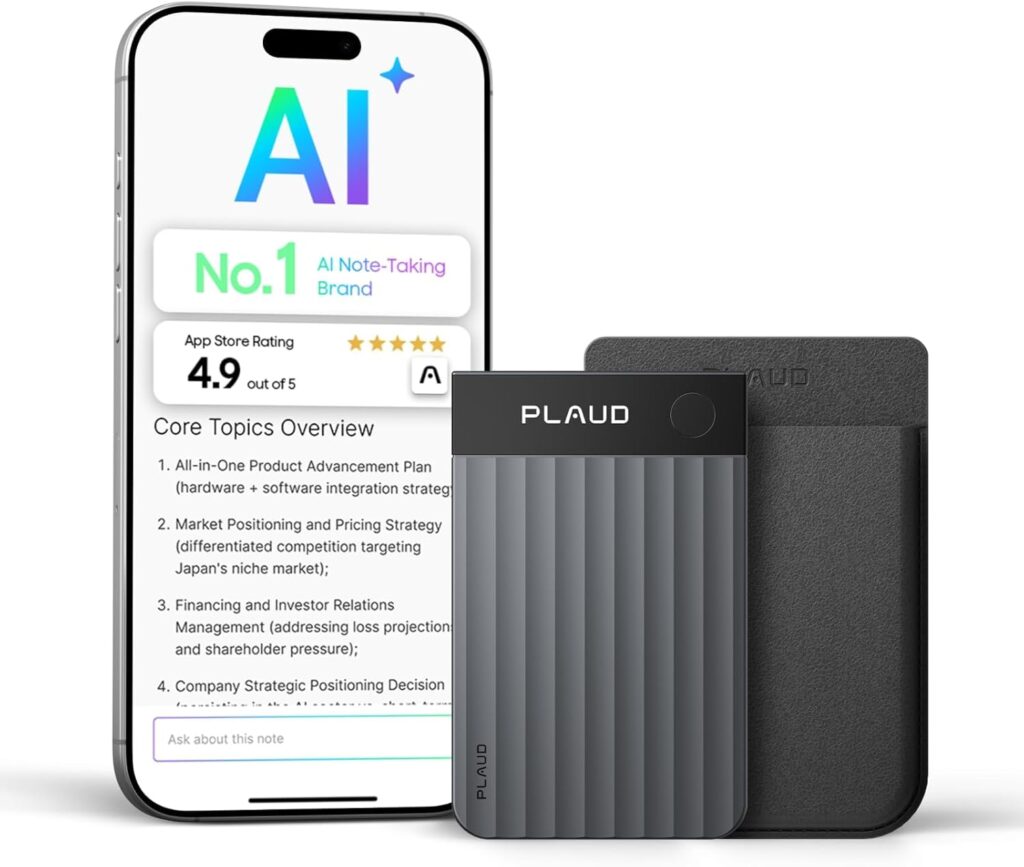
The PLAUD Note sticks to the back of your phone magnetically, records conversations, and syncs with an app that transcribes and summarizes them. Transcription is solid in English, decent in Hindi when speakers aren’t switching mid-sentence, and noticeably weaker in mixed-language conversations, which is basically every Indian professional meeting.
The trade-off: Summaries give you the structure of a meeting, not the subtext. It won’t catch a client hesitating or quietly backtracking. That part is still your job.
The failure point: People record the meeting, forget to open the app, and reconstruct their notes from memory anyway. The automation is in the recording. The follow-through is still human.
Value perspective: Four meetings a week, 20 minutes of note reconstruction each, that’s roughly 70 hours a year. At ₹20,000 all-in, including a year of subscription, you’re paying under ₹300 per recovered hour. If you bill at ₹1,500 an hour, or even half that, the math isn’t complicated.
Verdict at a Glance ✔ Worth buying if: You attend 4+ meetings a week and spend real time reconstructing notes afterward ✖ Skip if: You only record occasional lectures, your phone recorder and Otter.ai do the same job for ₹0
2 . Smart Home Automation: Amazon Echo Show 8
Best for: Anyone building a voice-controlled home setup
Check today’s price of Amazon Echo Show 8 on Amazon. United States | India
I have one. My mother calls it “the talking photo frame” because for three months, I had it showing family pictures and the weather. A very expensive digital photo frame.
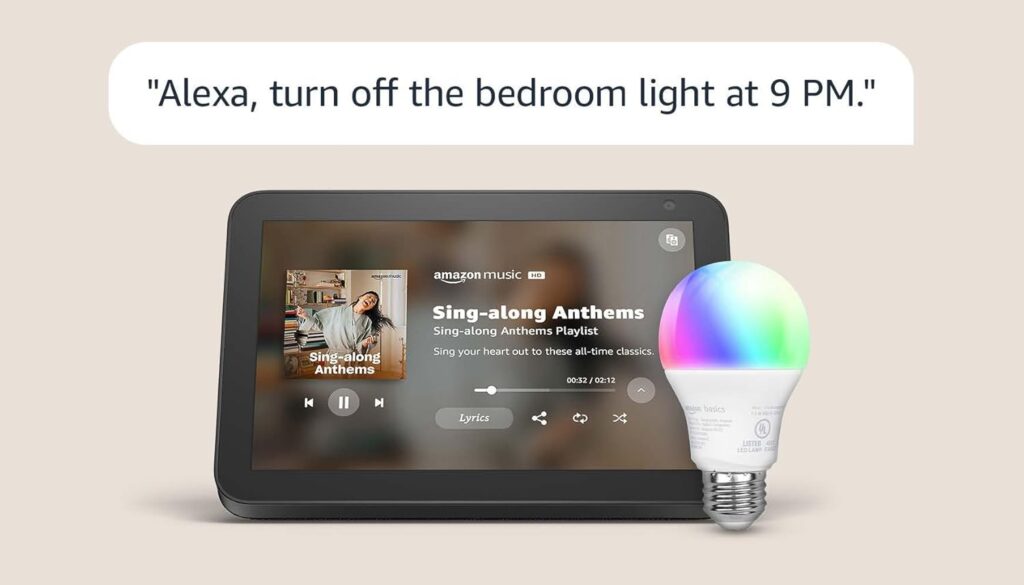
When it actually works with smart bulbs, a compatible AC, maybe a smart plug, it becomes genuinely useful. “Alexa, good morning,” and three things happen without you touching anything. That sounds trivial. Over six months, it adds up to a quiet ease that’s hard to quantify but real.
The trade-off: You’re building inside Amazon’s ecosystem. Switch to Apple HomeKit later, and you start from scratch.
The failure point: People buy it expecting magic, only to get a speaker with a screen. The automation only kicks in once you’ve configured it, tested it, and refined it. Out of the box, it’s underbuilt.
Value perspective: Morning routines, checking the weather, switching off the bedroom light, remembering you have a 10 AM call, take most people 10–15 fragmented minutes. Not because each action is slow, but because each one pulls your attention before the day has started. Automate the routine, and you don’t just save time; you start the day without the small friction of managing it. But only if the setup actually gets done.
Verdict at a Glance ✔ Worth buying if: You already have, or plan to buy, compatible smart home devices and want a central voice hub ✖ Skip if: You live in a rented home with no smart devices, you’ll pay ₹15k for a screen that tells you the weather.
3 . Real-Time Translation: Timekettle M3
Best for: International travel and cross-border professional meetings
Check today’s price of Timekettle M3 on Amazon. United States | India
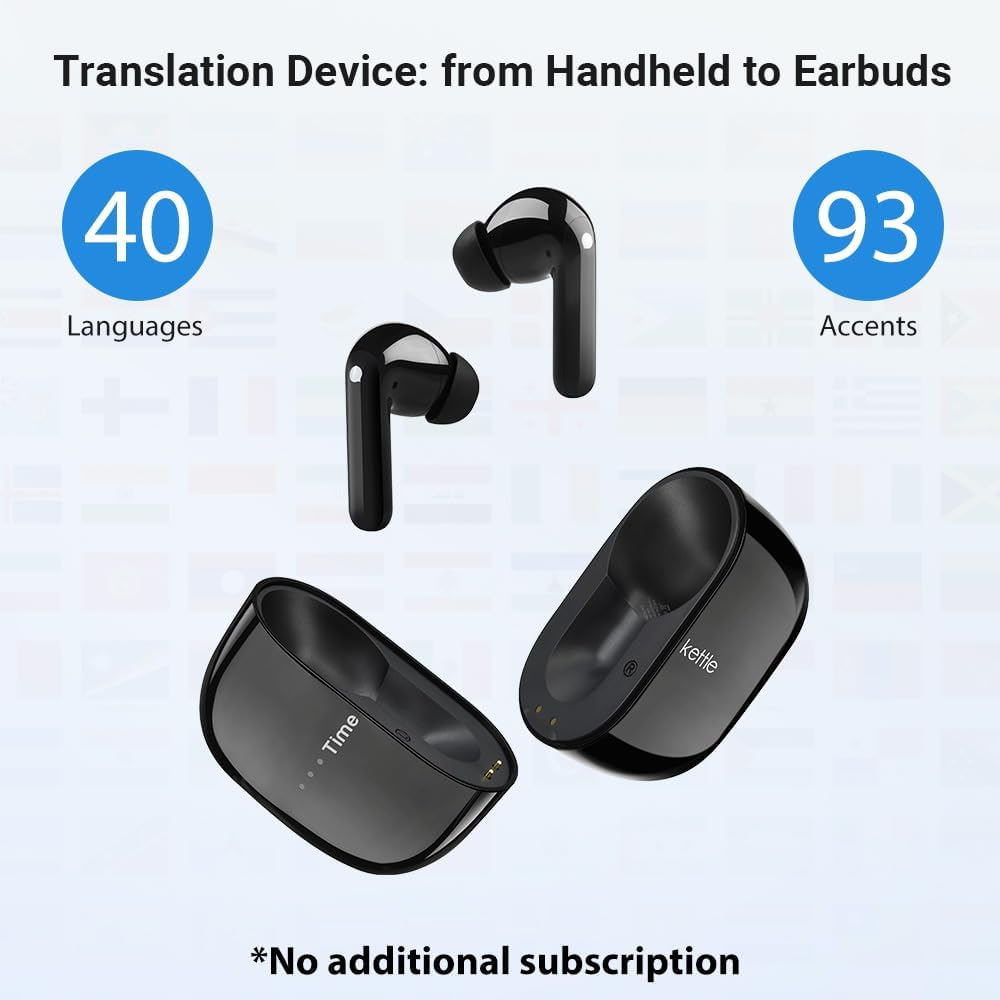
This is probably the most overpromised category in AI gadgets right now and also the most useful one, but only for a narrow group. Both speakers wear earbuds, the conversation happens naturally, and translation comes through in near-real time. There’s a small lag, but it’s faster and far less awkward than pulling out a phone mid-conversation.
For domestic use in India, it’s inconsistent. Hindi, Bengali, Tamil, and Marathi handle clean, structured sentences and fall apart with dialects or fast speech. I tested it with a Marathi-speaking colleague. We ended up laughing more than communicating.
The trade-off: It doubles as regular earbuds for music and calls. If you travel frequently, that helps justify the price.
The failure point: People buy it hoping it’ll bridge Indian regional languages. It won’t. It’s built primarily for English and major global languages, not for how most Indians actually talk.
Value perspective: Hard to calculate in hours. The value is in deals not lost, conversations not misunderstood. If one international meeting goes significantly smoother because of it, the cost justifies itself. But only if cross-border work is a regular part of your life.
Verdict at a Glance ✔ Worth buying if: You travel internationally for work and routinely navigate language barriers in meetings ✖ Skip if: You need it for domestic regional languages, you’ll be disappointed
4 . Video Call Quality: Logitech MX Brio
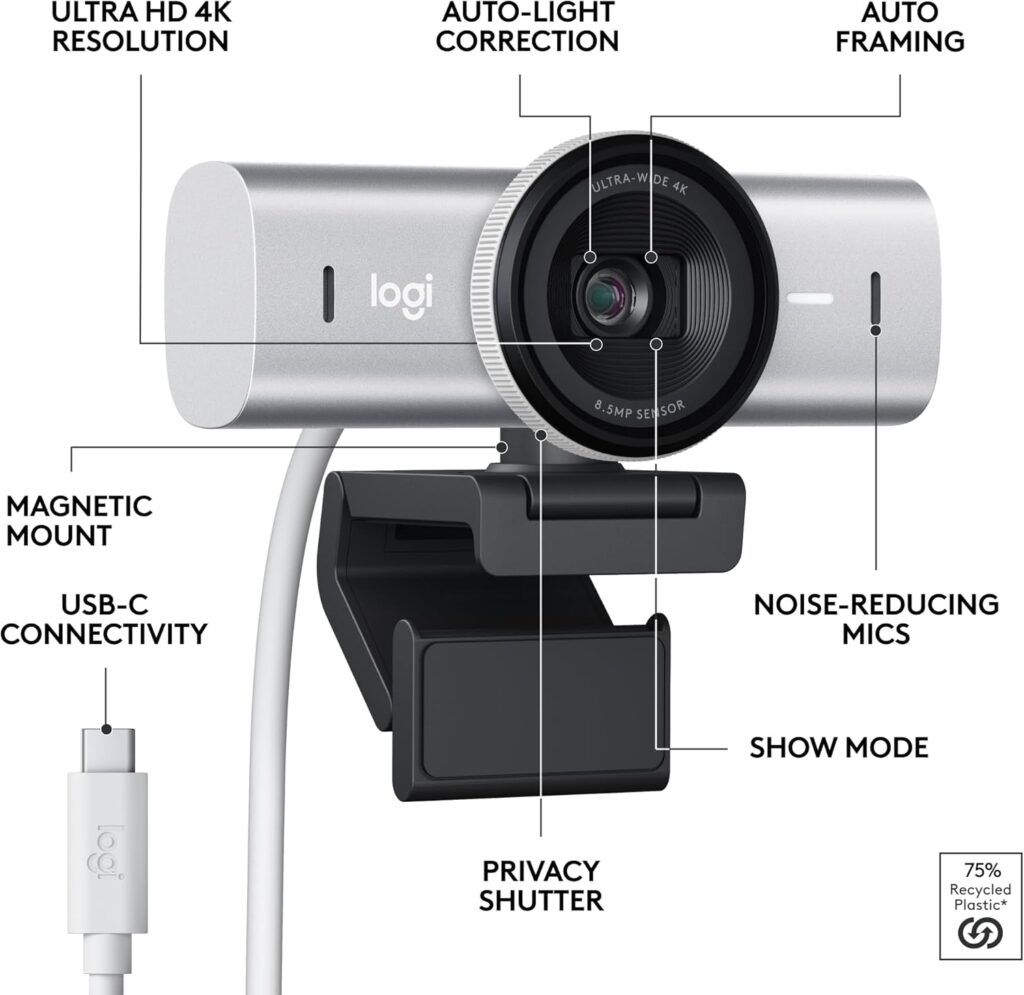
Best for: Remote workers, online educators, streamers
Check today’s price of Logitech MX Brio on Amazon. United States | India
The MX Brio uses AI to adjust lighting, framing, and sharpness in real time. You can sit with a window directly behind you, which normally blows out your image entirely, and the camera compensates automatically. This matters if you’re client-facing, teach online, or do recorded interviews. It does not matter if your meetings are internal.
The trade-off: The AI processing adds warmth and smoothness that some people find slightly uncanny. It looks polished, occasionally too polished.
The failure point: Bad internet, a cluttered background, laptop audio, the camera fixes none of that. Video quality is one variable in a multi-variable problem. If you’re spending ₹25,000 on a webcam and still using laptop audio, buy a microphone first.
Value perspective: The ROI here isn’t saved time, it’s perception. If you’re on 3–5 client calls a week, how you appear is part of how you’re evaluated. A camera that makes you look consistently professional across 200+ calls a year is a different kind of investment.
Verdict at a Glance ✔ Worth buying if: You’re client-facing regularly and your current setup makes you look unprofessional ✖ Skip if: Your meetings are mostly internal, nobody is grading your video in the Monday standup
5 . Hands-Free Content Creation: Ray-Ban Meta Smart Glasses

Best for: Travel vloggers and content creators
Check today’s price of Ray-Ban Meta Smart Glasses on Amazon. United States | India
These are the only devices on this list where the AI isn’t the core feature; the form factor is. You wear them, they look like sunglasses, and you capture video or photos with a voice command or a small button. For creators who want POV footage without a chest rig or camera setup, this works. The footage looks natural because it comes from eye level. You just walk around.
The Meta AI assistant is built in too, but it’s competing with your phone’s assistant, which you already have and which already works.
The trade-off: 12MP camera, 1080p video. Good, not exceptional. It won’t replace a proper camera for anything that demands quality.
The failure point: People who buy it for the AI assistant, not the camera, get frustrated quickly. The camera is the only real reason to own this.
Value perspective: Setting up a camera and framing a shot takes 15–20 minutes before a single clip gets recorded. For creators shooting 3–4 times a week, that’s 40–50 hours of setup time a year just gone. Whether ₹25,000 is worth reclaiming depends entirely on what content creation means for your income or growth.
Verdict at a Glance ✔ Worth buying if: You create travel or lifestyle content regularly and want natural POV footage without a camera setup ✖ Skip if: You’re buying it for the AI assistant, your phone already does that better, for free
6 . Home Security: Smart Video Doorbell
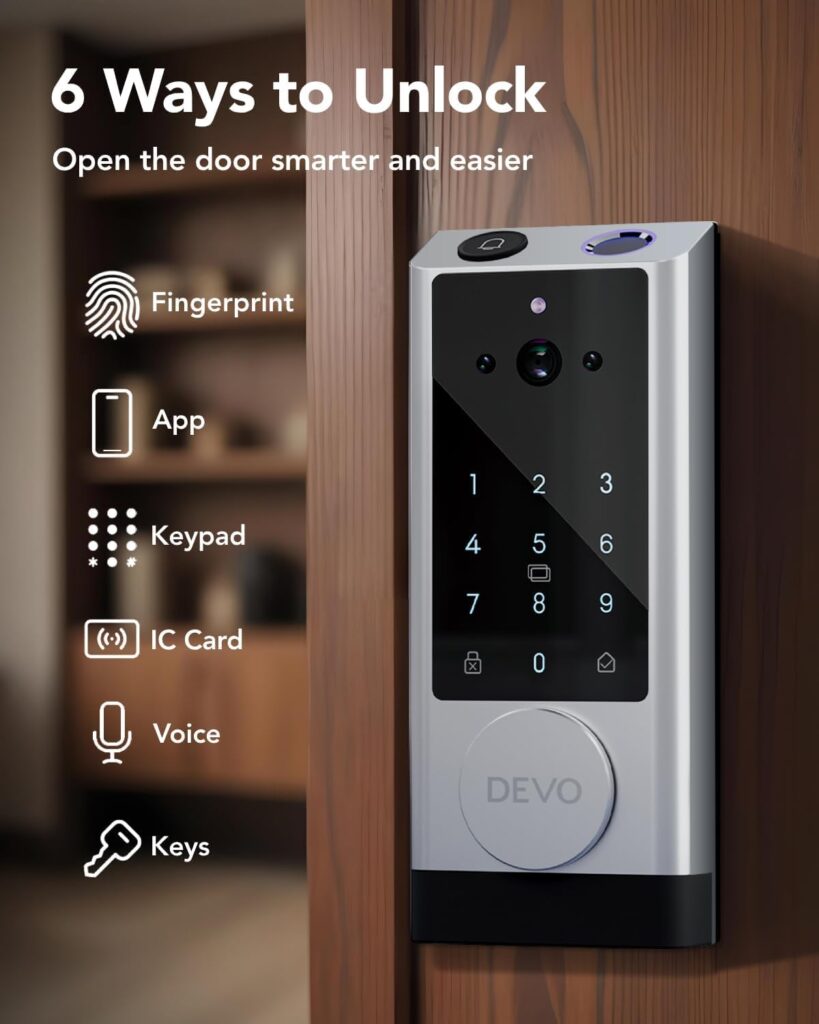
Best for: Homeowners who miss deliveries or have security concerns
Check today’s price of Smart Video Doorbell on Amazon. United States | India
The most universally practical gadget on this list. AI motion detection distinguishes between a person, a vehicle, and general movement, so you’re not getting 40 alerts because a cat walked past. It works reasonably well. You’ll still get some false alerts, but the signal-to-noise ratio is far better than older sensors.
The trade-off: Cloud storage adds ₹500–₹1,500 per month. Without it, you get live view but no real playback history.
The failure point: Installation is the first problem. Older Indian apartment buildings, anything pre-2000, especially often have wiring that doesn’t cooperate with modern smart devices. Battery models sidestep that, but they need recharging every few weeks. Most people do it twice, get annoyed, and stop. The device then sits dead at the door, which is exactly as useful as not having one.
Value perspective: A missed delivery in India often means a half-day trip to a courier office or waiting 24 more hours. If this saves you even two or three of those a year, the device has already paid for itself in time alone.
Verdict at a Glance ✔ Worth buying if: You miss deliveries often, live alone, or need to monitor your door while working ✖ Skip if: Your building has a working intercom and a security guard, you’re solving a problem you don’t have
7 . AI Assistant on the Move: Amazon Echo Buds
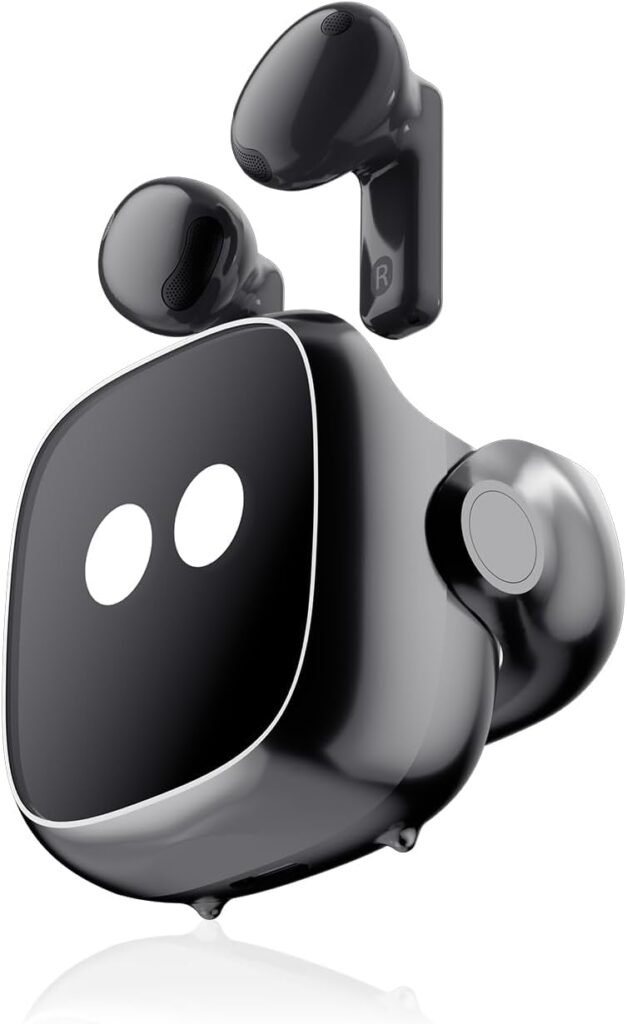
Best for: People already using Alexa at home
Check today’s price of Amazon Echo Buds on Amazon. United States | India
These make sense if you’re already in the Alexa ecosystem. The integration is smooth, set a reminder while commuting, check a shopping list, control home devices, all hands-free. If you’re not in the ecosystem, they’re just okay earbuds with a voice assistant that occasionally interrupts your music.
The trade-off: Sound quality is decent, not impressive. You’re paying partly for Alexa, not audio.
The failure point: People expecting premium audio are consistently disappointed. That’s not what these are.
Value perspective: The time saved per action is small, 30 seconds here, a minute there. But removing 8–10 phone pickups a day adds up to 40–50 hours of friction a year. Small, but real.
Verdict at a Glance ✔ Worth buying if: You use Alexa daily at home and want the same hands-free control during your commute ✖ Skip if: You’re not in the Alexa ecosystem, there are better-sounding earbuds at this price
Which One Should You Actually Buy?
If meetings eat up your afternoons and you leave them with half-formed notes, start with the PLAUD Note.
If your mornings are ten small actions spread across twenty minutes, the Echo Show 8 is worth looking at, but only after you’ve bought a smart bulb or two.
If you cross borders for work and spend meeting time unsure whether you understood or were understood, the Timekettle M3 is the only device here built for that specific problem.
If you’re on client calls regularly, and your camera makes you look like you’re calling from a storage room, the MX Brio is a professional investment, not a gadget purchase.
If you create travel or lifestyle content and the setup ritual takes longer than the actual recording, the Ray-Ban glasses remove that ritual entirely.
If deliveries disappear and you’re always the last to know, the smart doorbell is the most universally practical thing on this list.
If Alexa is already running your home and you want it in your ears during the commute, the Echo Buds are the obvious next step. If you’re not in that ecosystem, skip it.
If more than one applies, pick the one that solves something you deal with every single day, not once in a while.
Best AI Gadgets in 2026 Before You Buy: The Honest Version
Most of these devices are still imperfect tools.
AI transcription breaks down when multiple people talk at once. Translation earbuds struggle with accents and fast speech. Smart home systems occasionally stop responding after an app update. Battery-powered devices need recharging, and most people stop doing that after the first few times.
None of this makes them useless. The people who get consistent value treat them like assistants, something handling one repetitive task quietly in the background. The ones who get frustrated are usually expecting a fully automated life. They got a device that works 80% of the time.
That 80% is genuinely useful. Just don’t build your workflow around the other 20%.
A few practical things before you order:
Language support: Most of these work best in English. If your daily life happens in Hindi, Marathi, Tamil, or another regional language, check compatibility before buying. Don’t assume.
Hidden subscription costs: Some devices look affordable upfront, but subscriptions, transcription storage, cloud video, and premium features can quietly double the real cost over a year. Calculate the annual total, not just the device price.
Ecosystem lock-in: Alexa devices work best together. Meta devices work best with Meta services. Once you’re in, switching costs you not just money but time.
Final Thought
Most AI gadgets promise automation. In practice, the useful ones quietly remove one repetitive task you deal with every day, something you’ve been handling manually for so long, you’ve stopped noticing what it costs you.
The simplest test before buying: think about the one thing you did manually today that you’ll do again tomorrow, and the day after. If the gadget removes that specific thing, it’ll earn its place. If it doesn’t map to anything that concrete, your phone is probably already enough.
You’re probably reading this because you’re considering one specific thing. Maybe you’ve already added it to your cart. Maybe you’ve been reading reviews for three days and still haven’t clicked buy.
That tab you have open, the product page, the price, and the reviews are still there. The real question isn’t whether the gadget is good. It’s whether it removes a problem you face every single day.
Questions People Ask Before Buying AI Gadgets
1 . Are AI gadgets worth buying in 2026?
AI gadgets make sense when they remove a daily friction point, such as meetings, reminders, home monitoring, and routine tasks. The ones built around something you repeat every day tend to justify their cost. The ones bought for occasional use tend to end up in a drawer.
2 . Which AI gadget is best for daily productivity?
It depends on where you lose the most time. AI transcription tools work best for people who attend frequent meetings. Smart assistants work best for people building a voice-controlled home setup. There’s no single best option; the right gadget is the one that removes your most repeated manual task.
3 . Which AI gadget saves the most time in daily work?
AI transcription recorders and smart home assistants typically save the most because they automate things that happen every day. A device that handles something you do once a month will always save less than one that handles something you do four times a week.
4 . Do AI gadgets require subscriptions?
Some do. PLAUD Note requires a subscription for advanced transcription. Smart video doorbells often charge for cloud storage. Some Echo features work best with Amazon Prime. Some devices look affordable at first, but subscriptions like transcription storage or cloud video can double the real cost over a year. Always calculate the annual total before buying.
5 . What should you check before buying an AI gadget?
Four things: language support (most work best in English, which matters in India), compatibility with your existing devices, recurring subscription costs, and whether the gadget actually removes something you face every day. If the answer to that last one is no, your smartphone is probably already enough.
Related Posts 📌
7 Best AI Tools for Students to Write Research Papers Faster in 2026

1 thought on “Best AI Gadgets in 2026 That Save 5+ Hours Every Day”