
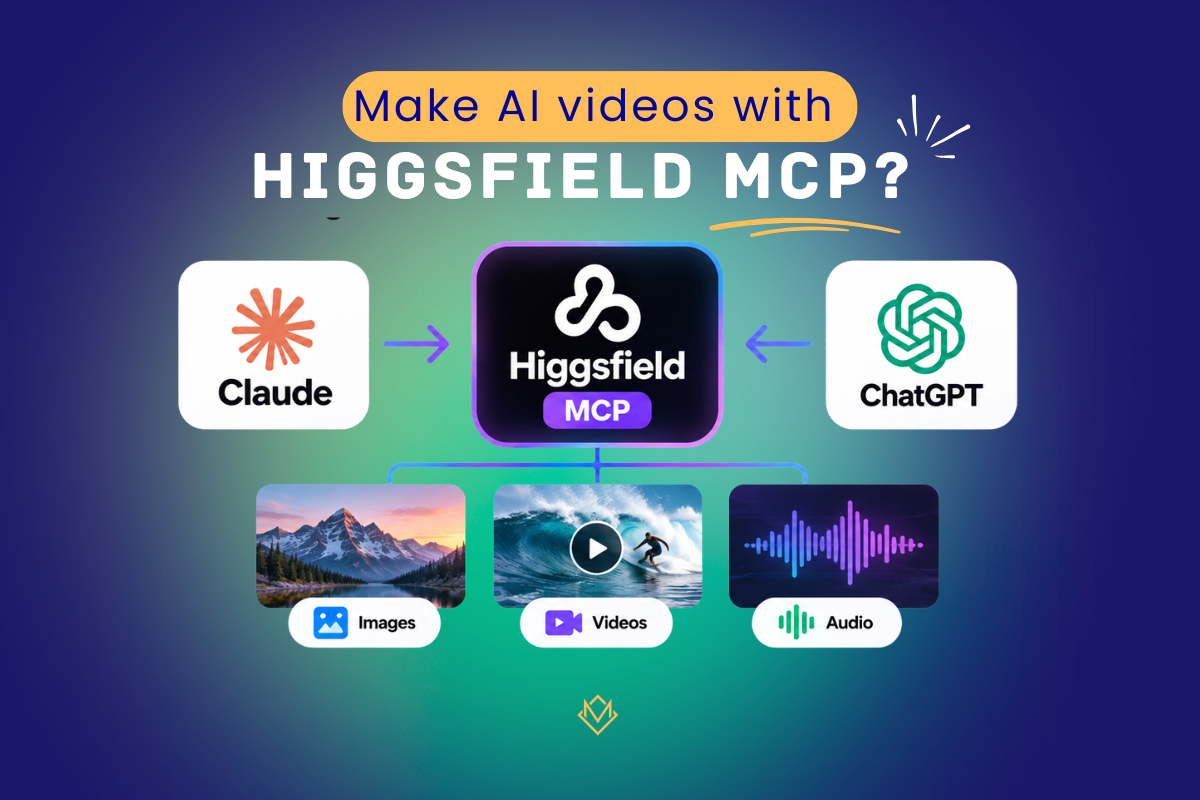
Yes, you can make AI videos from inside Claude. Higgsfield has an official MCP that lets you create videos, images, and audio just by chatting with Claude (or other compatible agents), without opening the Higgsfield website.
But it is not free for ongoing use. Higgsfield’s connection guide says you need an active paid subscription, and every video or image you make through MCP uses credits. New users may get a short, card-verified trial, which I explain below. The Higgsfield API is a separate product with separate billing.
That is the short version. Below, I explain how it works, what it costs, and how to set it up so you can start making videos from Claude.
Last verified against Higgsfield’s official pages on October 14, 2026. Pricing and plan rules change often, so check the links before you pay.
Turn Your Ideas into AI Videos. Try Higgsfield Now
What Is Higgsfield MCP?
MCP stands for Model Context Protocol. According to Higgsfield, it is an open protocol that lets AI agents connect to outside services and use their tools.
Think of it as a plug between your AI assistant and an app. Without it, Claude can only write about a video. With the Higgsfield connector, you can ask Claude to make the video, and it calls Higgsfield for you.
Higgsfield MCP uses your existing Higgsfield account and your existing plan credits. You sign in through an authorization window, so you don’t need to manage an API key.
Create Realistic AI Voiceovers in Seconds with ElevenLabs AI
Does Higgsfield Have an MCP?
Yes. Higgsfield runs an official hosted MCP. The setup page is higgsfield.ai/mcp, and the official connector URL is:
Higgsfield says this is the only official connector URL, and a connector with any other URL is not Higgsfield. Remember this, because many third-party pages and wrappers use the same name.
According to Higgsfield’s connection guide, the MCP can do the following:
- Generate images and videos with all models
- Upscale images and videos, remove backgrounds, and expand images or video
- Use Soul characters and reusable reference Elements
- Create audio: voiceover, voice cloning, voice change, and video dubbing
- Turn YouTube videos into short clips (Personal Clipper)
- Check your credit balance and list past generations
The MCP page advertises 30+ models. The model list changes, so look at that page for the current lineup instead of relying on a list in an article.
Is Higgsfield MCP Free to Use?
There are two separate answers here: ongoing use and the trial.
Ongoing use is not free. Two official rules decide this:
- A paid subscription is required. Higgsfield’s connection guide lists an active Higgsfield subscription as a prerequisite.
- MCP always costs credits. Unlimited access and free generations work only on higgsfield.ai. Anything made through MCP, the CLI, Canvas, or Supercomputer uses credits at standard rates. This is true even if your plan includes Unlimited on that model.
The connector itself has no separate fee on the official pages. Adding it is just a sign-in. What you pay for is the credits each generation uses.
What about the Free plan? Higgsfield does have a Free plan, but one third-party tracker reports that it comes with no credits. Since MCP needs a paid subscription and spends credits on every job, a free account will not get you far. Check the pricing page to see what the Free plan includes today.
The trial is a limited exception. Higgsfield’s changelog says new users can verify a card to start a 3-day MCP trial and get 100 MCP-only credits.
If you do not cancel before the trial ends, it renews as a monthly Plus plan. So the trial lets you test the connection, but it is not free access, and your card will be charged if you forget to cancel.
Higgsfield’s own post called it a limited offer, and third-party sites disagree on whether it is available right now. That is probably why some pages call MCP “free”. Before you enter a card, note where to cancel (Manage Account, then Subscription), and confirm the trial and renewal terms.
For an Indian reader, the practical meaning is simple. If you want to test before paying, the trial is the cheaper way in, as long as you set a reminder to cancel.
If you already plan to use Higgsfield regularly, budget for a paid plan and treat MCP as another way to spend the same credits.
How to Connect Higgsfield MCP to Claude and ChatGPT
Claude and ChatGPT connect in different ways, and mixing them up is the most common setup mistake. Claude uses a custom connector with the MCP URL. ChatGPT uses an official Higgsfield Plugin, with no URL to paste. Both use the same Higgsfield account and the same credits.
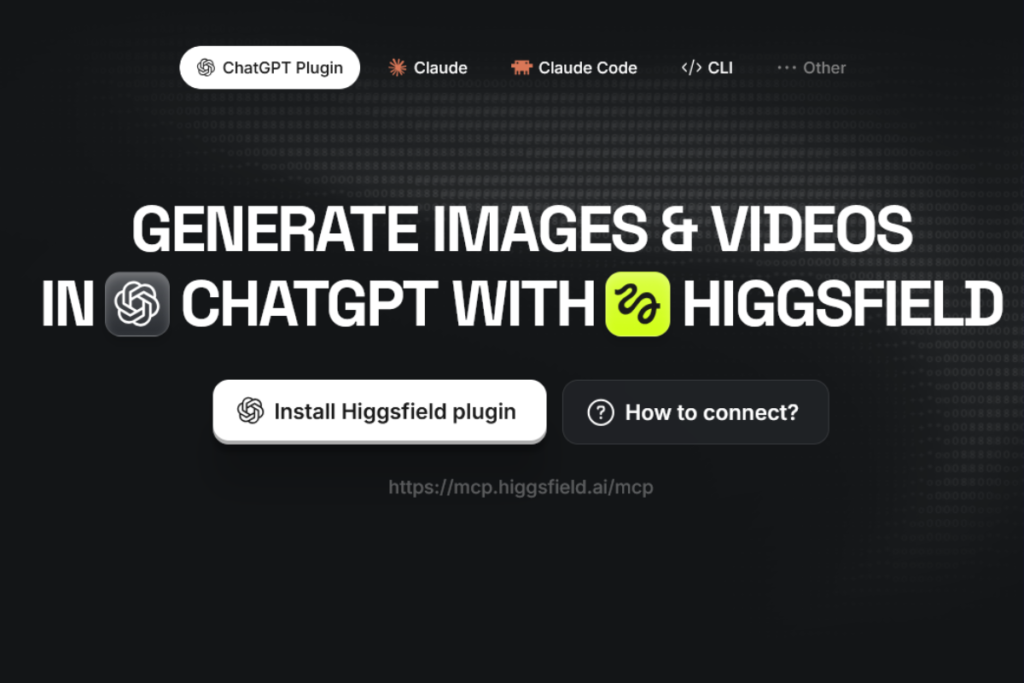
Claude (claude.ai or Claude Desktop)
- Go to Settings, then Connectors. In some versions of the app, this menu is called Customize, so look for Connectors under either name.
- Click Add custom connector.
- Name it Higgsfield and paste https://mcp.higgsfield.ai/mcp.
- Click Connect, then sign in to Higgsfield and authorize.
- Return to Claude. Higgsfield should now show in your active connectors.
If you use Claude Code, the path is different. Higgsfield’s guide says Claude Code connects through the Higgsfield CLI, which the agent installs itself, not through the connector URL.
ChatGPT
- Open the Plugins Directory in ChatGPT, or go to higgsfield.ai/mcp and choose Add Higgsfield plugin.
- Find Higgsfield and click Add.
- Sign in to your Higgsfield account and authorize.
One limit to know before you choose: audio generation and the Website Building skill are not available in ChatGPT. For those, use Claude or the Higgsfield website.
Check that it works
Start a new chat and ask: “What is my Higgsfield credit balance?” If the assistant answers by calling Higgsfield tools, you are connected. If it answers without calling any tool, reconnect the connector or plugin. If you see “Authorization with the MCP server failed,” disconnect Higgsfield in your connector settings, then connect and authorize again.
Two habits that save credits
- At the start of a session, ask the agent to tell you the credit cost and wait for your approval before generating. This matters most for video, because agents pick a model for you if you don’t name one. Also remember this is an instruction to the agent, not a hard cap (see the FAQ).
- The agent cannot read images you attach to the chat. For a reference image, tell the agent what you want to use and let it open the Higgsfield upload window.
Does Higgsfield Provide an API?
Yes. The Higgsfield API lets developers generate video and images from their own code. Here is what Higgsfield says about it:
- It is a separate product from the website. Your plan, credits, and Unlimited access exist only on the website.
- It runs on its own API key and a prepaid US dollar balance. The minimum top-up is $5, and the funds expire one year after you add them.
- Video is priced per second of output and images per image. Failed requests are not charged.
- It offers 50+ models, though the API catalog can differ from the model lineup on higgsfield.ai.
- You work through a Python or TypeScript SDK, or call the REST API directly. Generation is asynchronous, so you send a request and then check the status or receive a webhook.
- Output files are stored for at least 7 days, so download what you want to keep.
You do not need a Higgsfield plan to use the API. Since the balance is in US dollars, check that your payment method works for international charges. Full documentation is at docs.higgsfield.ai.
Website vs MCP vs API: Which One Should You Use?
| Higgsfield Website | Higgsfield MCP | Higgsfield API | |
| What it is | The normal higgsfield.ai app in your browser | A connector that lets Claude or ChatGPT generate media for you | A way for your own code or app to generate media |
| How you use it | Click and type on the site | Chat with Claude, ChatGPT, Cursor, etc. | Python/TypeScript SDK or REST calls |
| Sign-in | Your Higgsfield account | Your Higgsfield account (OAuth sign-in) | Separate API account and API key |
| What you pay with | Plan credits | The same plan credits | Prepaid US dollar balance |
| Paid plan needed? | A Free plan exists, but it reportedly includes no credits | Yes (a short card-verified trial may exist) | No |
| “Unlimited” models | Work here, on eligible models | Do not apply, credits are deducted | Not applicable, billed per generation |
| Best for | Regular content creation | Making content by chatting, without opening the site | Building generation into your own product |
| Watch out for | Manual work, no chat workflow | Costs credits even where the website would be free, and no hard spending cap | USD billing (check your card works internationally), funds expire in one year |
My verdict. If you just want to make content for yourself, the website is usually the better value. When your plan covers a model with Unlimited, the same model costs you nothing extra on the website, while MCP charges credits for it. Unlimited depends on your plan and on the model, so check what yours covers before you decide.
MCP earns its place when working inside Claude actually saves you time. For example, when you want to plan and generate several variations in one conversation, or when you need the audio features that the ChatGPT plugin does not offer.
You are paying credits for that convenience, so it helps to know the price (next section).
The API only makes sense if you are a developer building an app, tool, or automation that needs Higgsfield models behind the scenes. If you are only making content for yourself, the API adds work with no benefit.
Higgsfield MCP Pricing and Credits
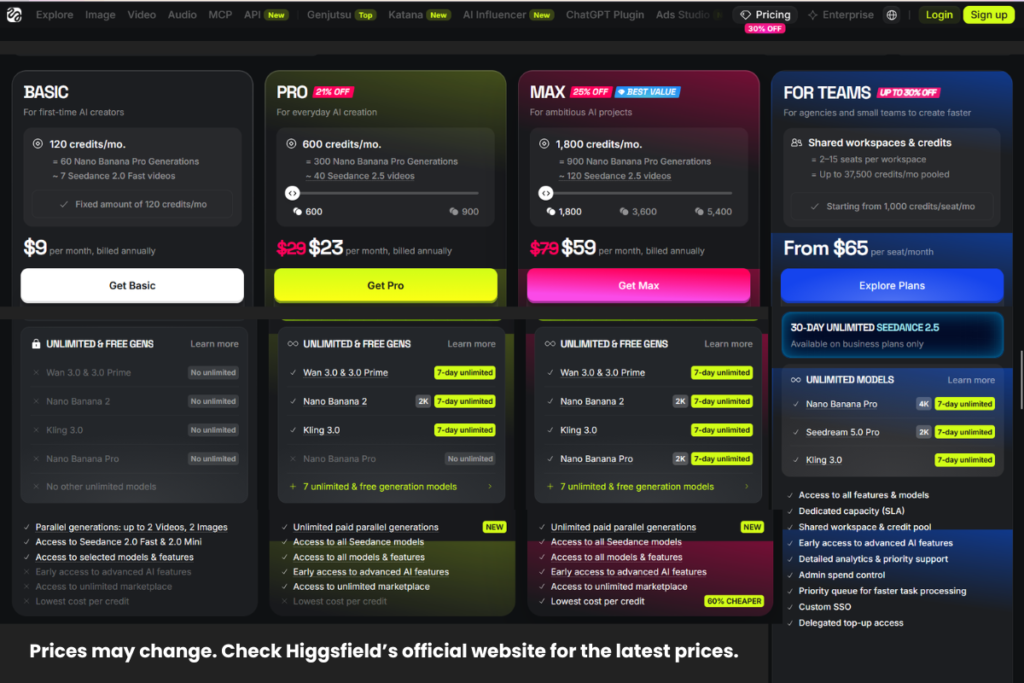
MCP has no price of its own. It spends credits from your Higgsfield account, so the rules below come from Higgsfield’s credits help pages.
What does it cost in practice?
“It depends on the model, resolution, and duration” is true, but it does not help you plan. So here are some real figures, with their sources.
In Higgsfield’s own ChatGPT walkthrough, as reported by the site Novoads, a 15-second UGC-style video made with Seedance 2.5 at 1080p cost 270 credits, and a 30-second cinematic clip cost 540 credits. Reference images were charged on top. For example, one 4K product shot with GPT Image 2 cost 48 credits.
One third-party tracker (Creatify) lists the Plus plan at 1,200 credits a month. At 270 credits a clip, that is roughly four such videos in a month, and nothing else.
Cheaper models cost far less. A third-party hands-on review (Techraisal) reported about 2 credits for an image on one model, for example.
Treat these as examples, not a price list. They are vendor and third-party figures, I have not run these numbers myself, and credit costs change.
The safest way to find your own number is to run one small job and check Manage Account, then Usage, which shows what each generation actually costs.
The rules that decide how long your credits last
- Subscription credits do not roll over. On monthly plans, they reset with each paid renewal. On annual plans, they reset every 30 days, so the reset date drifts through the calendar. If you cancel, they stay usable until the end of the paid period, then expire.
- Credit Packs: One-time top-ups range from 100 to 4,000 credits in fixed sizes, with adjustable packs from 5,000 to 25,000 credits in 1,000-credit steps. They expire 90 days after purchase and do not renew automatically. Buying one requires an active subscription. Check the official page for current availability and prices.
- Spending order: Subscription credits are always spent first. After that, Credit Pack, promo, and Auto-Refill balances are spent by expiry date, so whichever expires soonest goes first.
- Where to track it: Your balance appears in the top bar on higgsfield.ai.
Plan prices and credit allowances change, and third-party sites often disagree with each other, so I have left exact plan prices out on purpose. The official pricing page loads dynamically, so open it and confirm the current amounts and currency there.
FAQ (Higgsfield MCP)
Do I need an API key for Higgsfield MCP? No. MCP signs you in with your account. API keys belong only to the separate Higgsfield API.
Can I set a hard credit spending limit for MCP? No. Higgsfield says there is no native credit cap. You can tell the assistant to state the cost and wait for your confirmation, but that is a prompt-level instruction, not a hard billing limit.
Can I use Higgsfield in several AI tools at once? Yes. The same account can be connected in Claude, ChatGPT, Cursor and other agents together, and all of them draw from one credit balance. Cursor connects through its marketplace.
Is it safe to connect? Higgsfield says using MCP falls under the Developer Terms in its Terms of Use. In short, you must keep your connection secure, and you are responsible for anything an agent generates through your account. Review what your agent is doing, especially in long sessions.
Where do my MCP generations go? They show up in your Assets on higgsfield.ai, tagged with the MCP source, usually within about 60 seconds of the job finishing. If credits were deducted but nothing appears, check Manage Account, then Usage, and contact support with the generation ID.
What to Do Next
Decide how you will start: a paid plan, or the 3-day trial if it is still offered when you sign up (set a reminder to cancel before it renews). Then connect Claude with the URL above, ask for your credit balance to confirm the link, and run one small image generation with a “tell me the cost and wait for my approval” instruction. If that works, you can move on to video, and you will already know what it costs.
Ready to create your first AI video? Explore Higgsfield.
Read This Next 📌
Higgsfield Marketing Studio Review: Are One-Click AI Ads Actually Worth It?
AI Affiliate Marketing with Claude & Higgsfield: From Research to Sales
